


About this worksheet
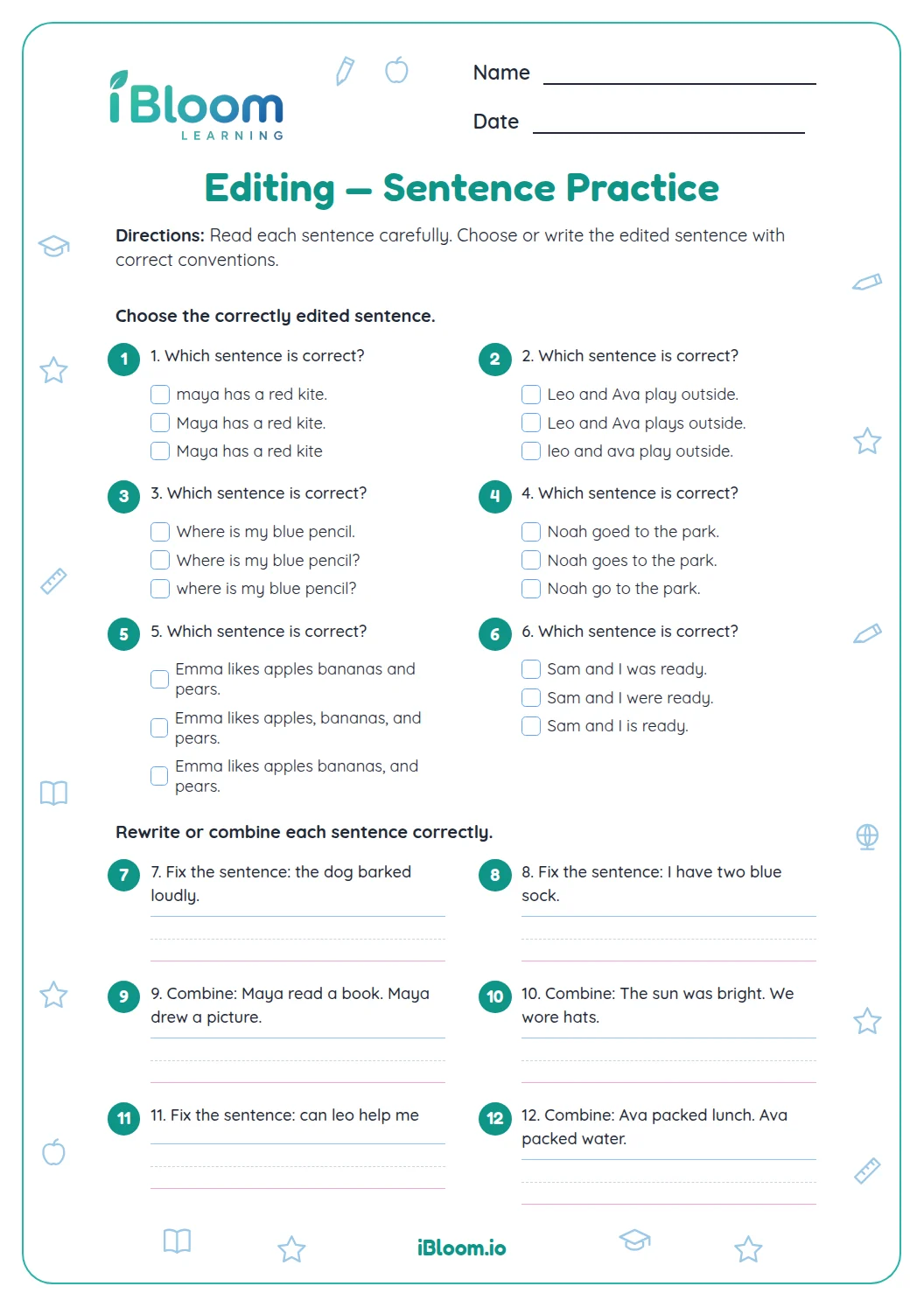
This Grade 2 editing printable moves from recognizing sentence conventions to correcting them in writing. Learners choose correct sentence edits, then rewrite sentences with capitals, spelling, and end marks. The practice aligns with CCSS L.2.2, and the separate answer key provides corrected models.
Aligned to L.2.2
What editing skills does the page practice?
Part A asks learners to recognize complete sentences and correct punctuation. Part B checks a name and sentence end mark. Part C asks learners to rewrite one sentence. Part D asks learners to apply capitalization, spelling, and punctuation while editing sentences.
- Part A: five sentence and punctuation choices
- Part B: two choices about capitals and sentence purpose
- Part C: one short sentence correction
- Part D: seven written sentence edits
How can a child edit a sentence?
Read each sentence from beginning to end. Check the first word and names for capitals, correct spelling, and punctuation that matches the thought. Then rewrite the complete sentence and reread it to make sure the edit is clear.
- 1Original: we visit aunt may.
- 2Capitalize the first word and name.
- 3Corrected: We visit Aunt May.
How can you tell if a sentence is complete?
A complete sentence tells a whole thought. “The bird sings.” gives a subject and tells what the bird does; “The bird” leaves the reader waiting for more.
How to use this worksheet
- 1Read the sentence once for meaning.
- 2Check that the first word and names begin with capitals.
- 3Ask whether the sentence tells, asks, or exclaims.
- 4Add a period, question mark, or exclamation point that fits.
- 5Read the edited sentence again to be sure it sounds complete.
Common mistakes and quick fixes
The mistake
Capitalizing every word
The fix
Capitalize the first word and proper names; keep ordinary words lowercase.
The mistake
Using a period after a question
The fix
If the sentence asks for information, finish it with a question mark.
The mistake
Fixing punctuation but leaving a fragment
The fix
Read the sentence aloud and check that it tells a complete thought.
Common Core alignment
Children apply standard English conventions while choosing and writing sentence edits.
Use capitalization, punctuation, and spelling conventions when writing.
On this sheet: The edits practice capital letters, sentence end marks, and correct spelling of a name/day.
Show the official wordingHide the official wording
Demonstrate command of the conventions of standard English capitalization, punctuation, and spelling when writing.
What to practice next
Make more practice
Further reading
Questions parents and teachers ask
What editing skills does this worksheet practice?
Learners recognize complete sentences and correct capitals, spelling, and end marks, then rewrite sentences with errors. The last part asks them to apply these conventions by editing full sentences. The answer key shows a corrected model for each written response.
What grade is this editing worksheet for?
The sheet is written for Grade 2. It starts with sentence choices and moves into editing and original writing. Learners practice conventions such as capitalizing the first word and names, spelling familiar words correctly, and ending a sentence with suitable punctuation.
Can my child write a different answer from the key?
The written items have model answers, but another edit is acceptable if it preserves the sentence’s meaning and corrects the target convention. Check for a capital at the start, capital letters in names, correct spelling, and punctuation that fits the sentence.
How many questions and pages are there?
There are 15 questions across two worksheet pages, followed by two answer-key pages. The page moves from sentence choices to written corrections. The final questions ask learners to apply capitalization, spelling, and punctuation conventions in complete sentences, then compare their work with the key.
What should a learner check after writing?
Reread the sentence aloud. Check that it begins with a capital, names are capitalized, the words are spelled as intended, and the end mark matches the thought. A statement usually ends with a period; a question ends with a question mark.