




About this worksheet
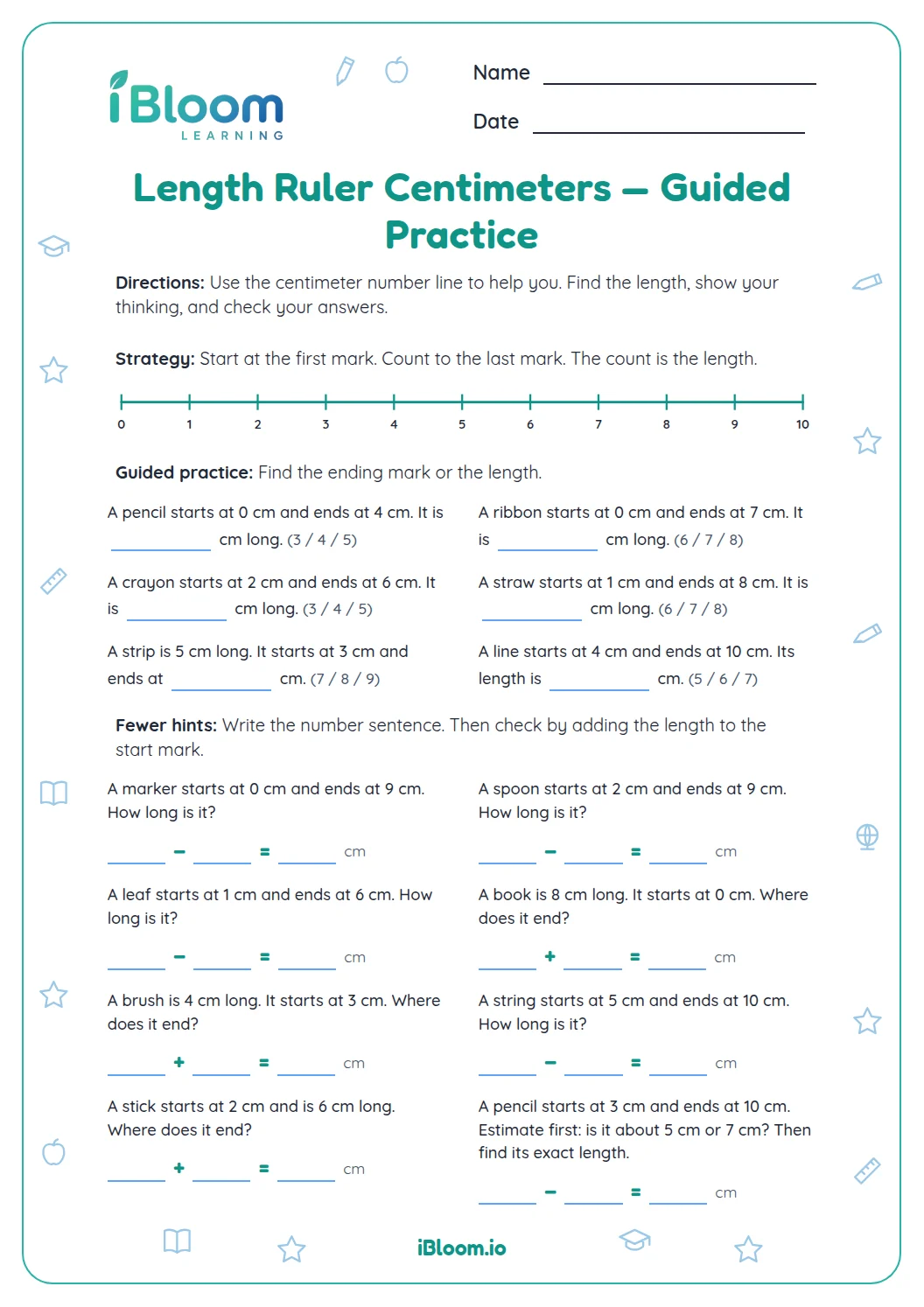
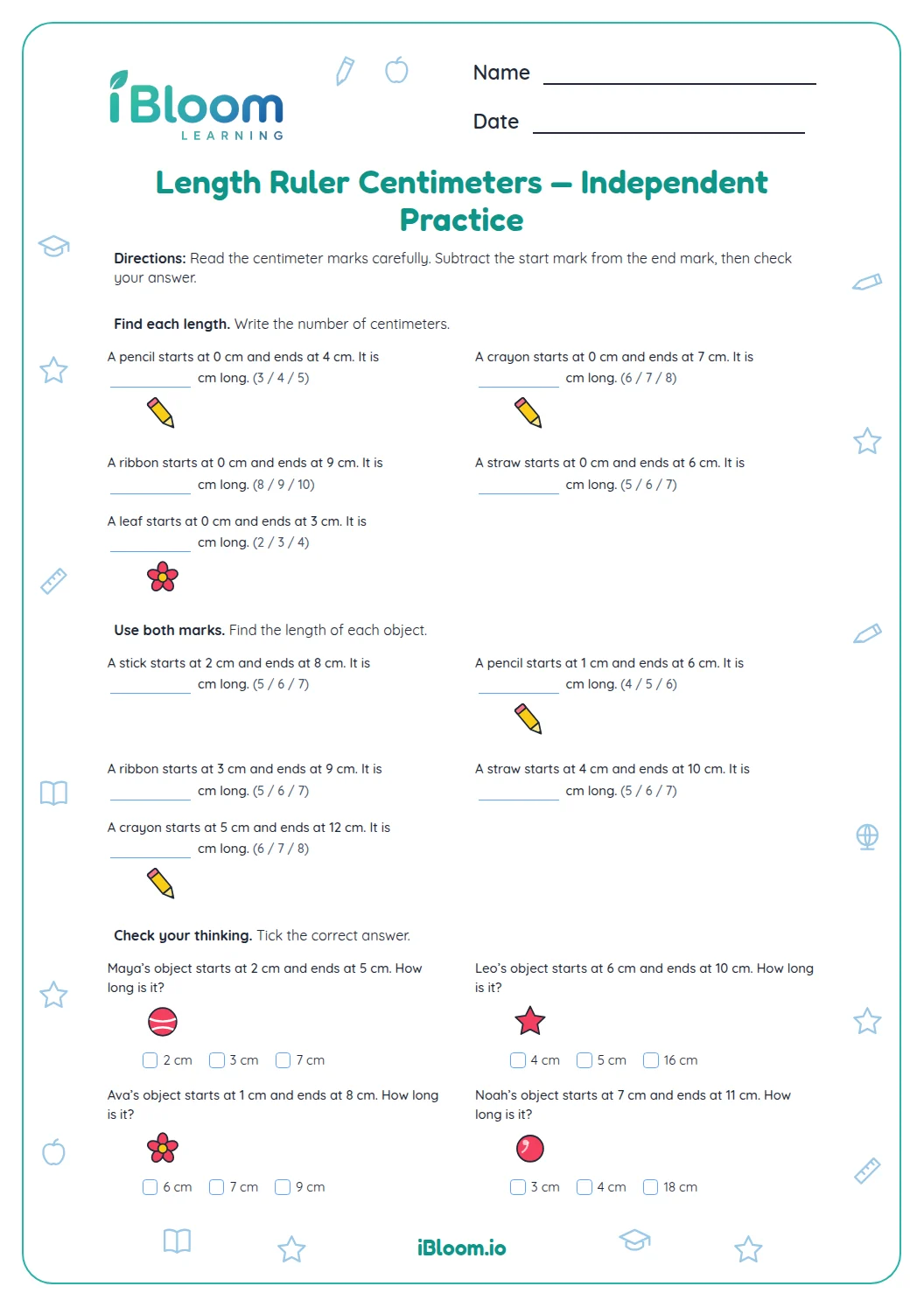
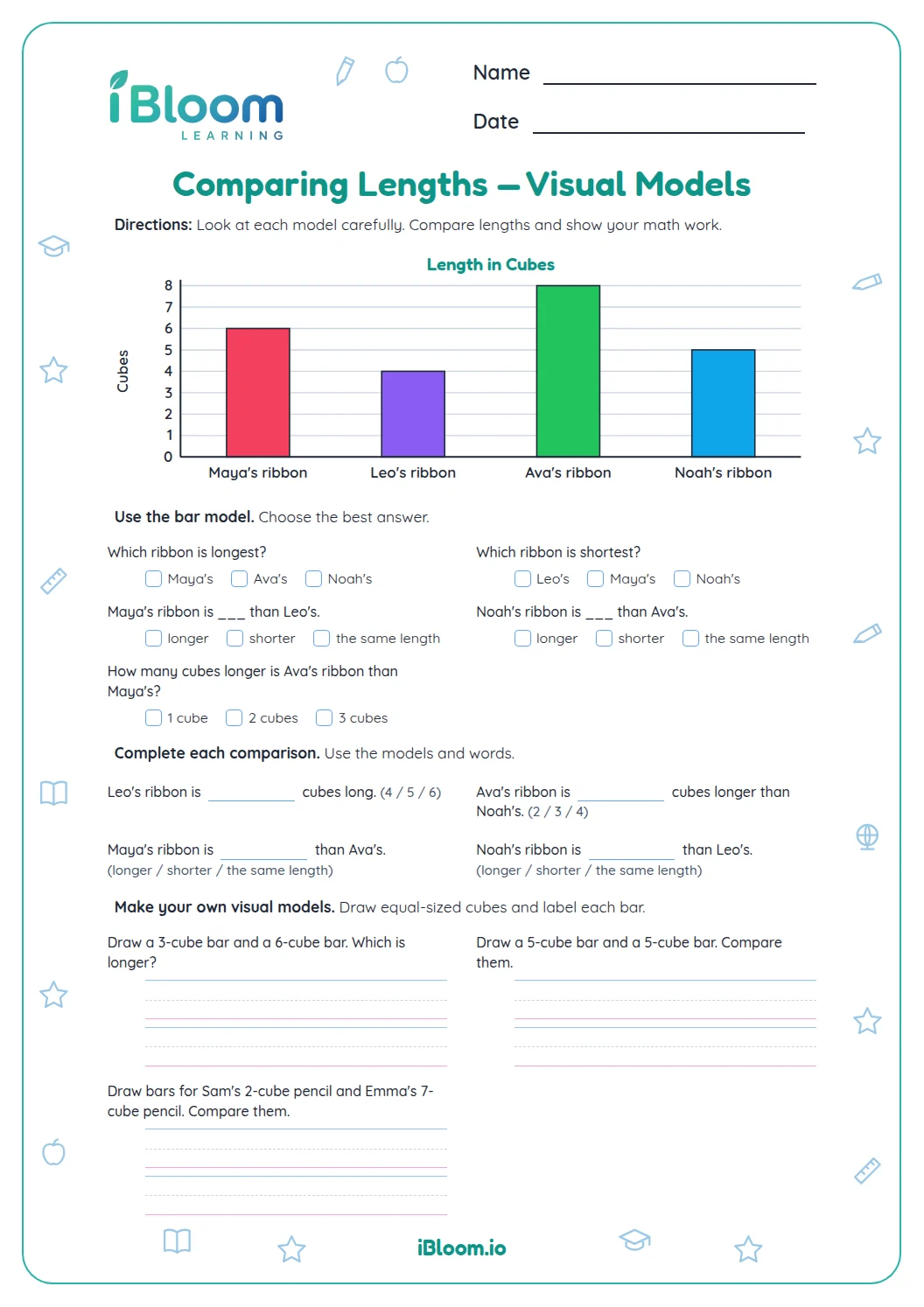
This Grade 1 measurement worksheet has 14 centimeter-length questions aligned with CCSS 1.MD.A.2. Children read start and endpoint clues, compare lengths, and solve short stories about joining, removing, and comparing centimeters. The separate answer key lists each measurement and calculation.
Aligned to 1.MD.A.2
How do you find a length from its endpoints?
Part A gives a starting mark and endpoint for each object. Subtract the start from the endpoint to find the length. Question 3 starts at 1 cm and ends at 7 cm, so the straw is 6 cm long.
- 1Start at 1 cm and end at 7 cm.
- 2Subtract: 7 − 1 = 6.
- 3The straw is 6 cm long.
How can you compare two lengths?
Part B asks which length is longer or shorter, how much longer one length is, and whether two objects have the same length. For question 7, 8 − 5 = 3, so the 8 cm length is 3 cm longer.
How do you solve a length story?
Part C describes lengths being joined, removed, or compared. Choose addition when pieces are joined and subtraction when a piece is removed or when finding a difference.
For question 11, remove 4 cm from 10 cm: 10 − 4 = 6 cm.
How to use this worksheet
- 1For each endpoint clue, subtract the starting mark from the ending mark.
- 2For a comparison, subtract the shorter length from the longer one.
- 3Add when lengths are joined or extended.
- 4Subtract when a piece is used or removed.
- 5Write the answer with cm.
Mistakes to watch for
The mistake
Using the ending mark as the full length when an object starts after zero.
The fix
Subtract the starting mark from the endpoint. From 1 cm to 7 cm is 7 − 1 = 6 cm.
The mistake
Counting tick marks rather than spaces.
The fix
Count the one-centimeter intervals from the start to the endpoint.
The mistake
Leaving off cm in an answer.
The fix
Say the full measure aloud, such as “13 centimeters,” then write 13 cm.
Curriculum alignment
The questions give children a chance to use this idea in short, concrete examples.
Measure each object by counting same-size centimeter units with no gaps or overlaps.
On this sheet: Endpoint clues describe centimeter lengths measured from a start mark to an end mark; students use those measurements in comparisons and length problems.
Show the official wordingHide the official wording
Express the length of an object as a whole number of length units, by laying multiple copies of a shorter object (the length unit) end to end; understand that the length measurement of an object is the number of same-size length units that span it with no gaps or overlaps.
What to practice next
Make more practice
Further reading
Questions parents and teachers ask
How many questions are included?
There are 14 questions in three parts: five endpoint readings, four comparisons, and five length stories. Students find lengths from start and end marks, compare measurements, and add or subtract lengths. The separate key lists each measurement and story answer.
Do students need a real ruler?
No. The first five questions give the start and end marks, and the comparison and story questions include the lengths needed. A real ruler can help with extra practice afterward. Remind your child to subtract the start from the endpoint, or count the spaces between them.
Why should a measurement start at zero?
When an object begins at zero, its endpoint shows its length directly. Students can count the equal centimeter spaces from zero to the endpoint. If the object began at a different mark, they would need to subtract the starting reading from the ending reading.
How do I help if my child counts the ruler marks?
Point to the spaces between the centimeter marks and count those intervals instead. For a 5 cm object, there are five spaces from 0 to 5. The endpoint label names the total length when the object starts at zero. Count each space.
What happens in the last section?
The final five questions turn centimeter lengths into short stories. Students add joined lengths, subtract a piece that is removed, or compare two objects. Each prompt includes a blank for the number, with cm printed beside it, and the answer key gives the resulting length.